


Computer vision syndrome is a group of eye and vision problems that occur after long hours of using digital screens such as computers laptops tablets and smartphones. When we focus on screens for extended periods our eyes work harder than usual which leads to discomfort and visual fatigue. This condition does not appear suddenly but develops gradually as screen use becomes a daily habit.
In today’s digital age computer vision syndrome is becoming more common because most work education and entertainment now depend on screens. Remote jobs online classes video meetings and continuous smartphone use have significantly increased the amount of time people spend staring at digital displays. Poor posture inadequate lighting and fewer screen breaks further add to the strain on the eyes.
People who are most affected by computer vision syndrome include office workers who spend long hours in front of computers students attending online classes gamers who focus intensely on screens for extended sessions and remote workers whose workdays often stretch beyond regular hours. Children and teenagers are also increasingly at risk due to early and frequent exposure to digital devices.
As someone who has spent years working on a computer for extended periods I have personally experienced symptoms like dry eyes headaches and blurred vision which highlighted how important proper screen habits and regular eye care are for maintaining long term eye health.
What Is Computer Vision Syndrome
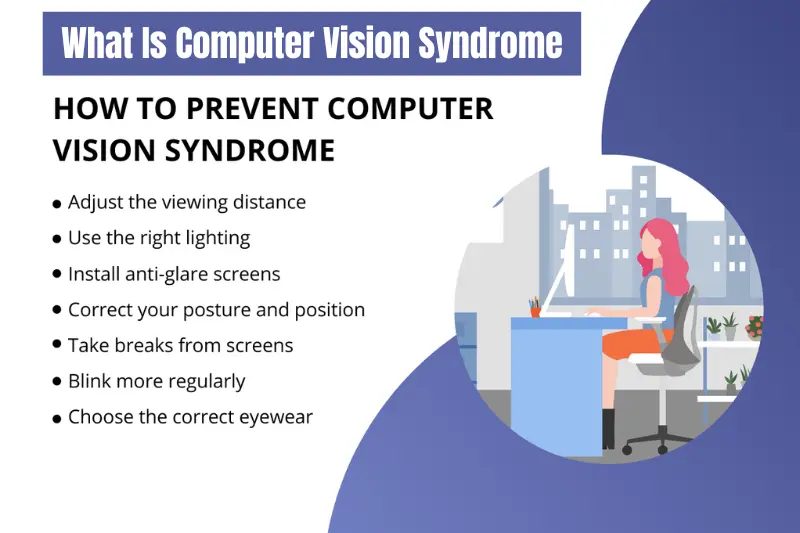
Computer vision syndrome refers to a condition where the eyes and surrounding muscles become strained due to prolonged use of digital screens. It happens when the eyes are forced to focus at a fixed distance for long periods without enough rest. Unlike normal eye tiredness, computer vision syndrome affects both visual comfort and overall physical well being.
When using a computer or mobile screen, the eyes blink less frequently, which leads to dryness and irritation. At the same time, focusing continuously on pixels and bright light puts extra pressure on the eye muscles. Over time, this repeated strain results in discomfort, blurred vision, and difficulty maintaining clear focus.
Computer vision syndrome is recognized by eye care professionals worldwide and is considered a modern lifestyle related condition rather than a disease. It does not usually cause permanent damage if addressed early, but ignoring it can significantly impact daily productivity and comfort. Regular eye examinations and better screen habits play an important role in managing this condition effectively.
How Common Is Computer Vision Syndrome Today

Computer vision syndrome has become increasingly common as digital devices are now a central part of everyday life. Most people spend several hours a day working on computers, attending virtual meetings, studying online, or using smartphones for communication and entertainment. This constant exposure places continuous stress on the eyes, making visual discomfort a widespread issue across all age groups.
The rise of remote work and online education has further increased screen dependency. Many individuals now use multiple devices throughout the day, often without realizing how long they remain focused on screens. As a result, symptoms of computer vision syndrome are being reported more frequently by office professionals, students, freelancers, and even children.
Eye care specialists commonly observe that people seek help only after symptoms begin to interfere with daily activities such as reading, driving, or concentrating at work. This indicates that computer vision syndrome is not limited to a specific profession but affects anyone who relies heavily on digital screens. With screen time continuing to grow, awareness and preventive eye care have become more important than ever.
Main Causes of Computer Vision Syndrome
Computer vision syndrome develops mainly due to prolonged and improper use of digital screens. When the eyes are continuously engaged without adequate rest, they become overworked, leading to strain and discomfort. Several everyday habits contribute to the development of this condition.
Excessive Screen Time
Spending long hours in front of a computer or mobile screen without taking breaks is one of the primary causes of computer vision syndrome. The eyes are not designed to focus at a close distance for extended periods. Continuous near vision tasks force the eye muscles to remain contracted, which results in fatigue and difficulty refocusing.
Poor Lighting and Screen Glare
Improper lighting conditions can significantly increase eye strain. Working in a room that is either too bright or too dim makes it harder for the eyes to adjust. Screen glare from windows or overhead lights also reduces contrast, causing the eyes to work harder to maintain clear vision.
Improper Viewing Distance and Posture
Using screens that are positioned too high too low or too close can strain both the eyes and the neck. Poor posture often leads to additional discomfort in the shoulders and upper back, which can worsen headaches and visual fatigue associated with computer vision syndrome.
Uncorrected Vision Problems
Undiagnosed or uncorrected vision issues such as nearsightedness farsightedness or astigmatism can make screen use more stressful for the eyes. When vision correction is inadequate, the eyes constantly struggle to maintain clarity, increasing the risk of developing symptoms.
Common Symptoms of Computer Vision Syndrome
The symptoms of computer vision syndrome can vary from mild discomfort to persistent physical and visual problems. These symptoms often develop gradually and may worsen after long periods of screen use. Many people do not immediately connect these signs to their screen habits, which is why the condition is often overlooked.
Eye Related Symptoms
One of the most noticeable signs of computer vision syndrome is eye discomfort. People commonly experience dry eyes due to reduced blinking while focusing on screens. Burning or itching sensations and redness may also occur, especially after extended work sessions. Blurred vision is another frequent complaint, making it difficult to shift focus from the screen to distant objects.
Physical Symptoms
Computer vision syndrome does not only affect the eyes. Headaches are very common and often start around the forehead or temples after long hours of screen exposure. Poor posture and improper screen positioning can lead to neck shoulder and upper back pain, adding to overall fatigue and discomfort.
Vision Performance Issues
Prolonged screen use can affect how efficiently the eyes work together. Some individuals experience difficulty focusing, double vision, or a feeling that their eyes are tired and heavy. Increased sensitivity to light may also develop, making bright environments uncomfortable after screen use.
Who Is at Risk of Computer Vision Syndrome
Computer vision syndrome can affect anyone who spends a significant amount of time using digital devices. However, certain groups are more vulnerable due to the nature of their daily activities and screen habits.
Office workers are among the most affected, as their jobs often require continuous computer use for tasks such as data entry, document preparation, and virtual meetings. Long work hours combined with limited breaks increase the risk of eye strain and related discomfort.
Students are another high risk group, especially with the growth of online learning and digital study materials. Extended screen time for classes, assignments, and research can place excessive strain on young eyes, particularly when proper screen posture is not maintained.
Gamers and content creators frequently focus intensely on screens for prolonged periods, often without blinking enough or taking regular breaks. This sustained concentration can lead to dryness, blurred vision, and headaches.
Remote workers and freelancers are also at increased risk, as they may work longer hours without a structured routine. The lack of ergonomic work setups at home can further contribute to eye and physical strain. Children who use digital devices for education and entertainment are increasingly affected as well, making early awareness and prevention essential.
How Computer Vision Syndrome Is Diagnosed
Computer vision syndrome is diagnosed through a comprehensive eye examination conducted by an eye care professional. The process focuses on identifying vision problems and understanding how digital screen use affects the eyes during daily activities. Early diagnosis plays an important role in preventing symptoms from becoming more severe.
During the examination, the eye specialist evaluates visual acuity to check how clearly a person can see at different distances. Tests are also performed to assess eye focusing ability and coordination, which are essential for comfortable screen use. Any underlying refractive errors such as nearsightedness or astigmatism are carefully identified.
The eye care professional may also ask detailed questions about screen habits, including daily screen time, work environment, posture, and frequency of breaks. This information helps determine whether symptoms are related to computer vision syndrome or another eye condition. In many cases, simple changes in screen use habits along with appropriate vision correction can significantly reduce discomfort.
From clinical experience, eye specialists often observe that patients who seek early evaluation respond better to treatment. Regular eye checkups allow timely adjustments to vision correction and provide guidance on maintaining healthy screen habits.
Effective Ways to Prevent Computer Vision Syndrome
Preventing computer vision syndrome mainly involves adopting healthier screen habits and creating a comfortable viewing environment. Small adjustments in daily routines can significantly reduce eye strain and improve long term eye comfort.
Follow the 20 20 20 Rule
The 20 20 20 rule is a simple and effective method to relax the eyes. Every 20 minutes, take a 20 second break and look at something about 20 feet away. This allows the eye muscles to relax and reduces continuous focusing stress caused by screen use.
Optimize Your Workstation Setup
A well arranged workstation plays a major role in preventing computer vision syndrome. The screen should be positioned slightly below eye level and at a comfortable viewing distance. Sitting with proper back support and keeping feet flat on the floor helps reduce neck and shoulder strain, which often contributes to headaches and eye fatigue.
Reduce Screen Glare and Adjust Lighting
Minimizing glare from screens helps improve visual comfort. Position screens away from direct light sources and use curtains or blinds to control natural light. Adjusting screen brightness and contrast to match room lighting also makes it easier for the eyes to focus.
Blink More and Use Artificial Tears
People tend to blink less while using digital devices, leading to dry eyes. Making a conscious effort to blink more often helps maintain eye moisture. Artificial tear drops may also be recommended by eye care professionals to relieve dryness and irritation.
Wear Computer Glasses If Needed
For individuals with vision correction needs, computer glasses can be helpful. These glasses are designed to reduce focusing effort and improve visual clarity during screen use. Blue light filtering lenses may also help reduce discomfort for some users.
Treatment Options for Computer Vision Syndrome
Treating computer vision syndrome typically focuses on relieving symptoms and improving eye comfort through lifestyle adjustments, vision correction, and professional guidance. While the condition is usually temporary, addressing it promptly ensures long term eye health.
Lifestyle and Habit Changes
Adjusting screen habits is the first step in treatment. Taking regular breaks, following the 20 20 20 rule, and reducing prolonged screen sessions help the eyes recover from strain. Ergonomic adjustments such as proper chair height, screen distance, and lighting also play a crucial role in symptom relief.
Vision Correction
Correcting underlying vision problems can significantly reduce discomfort. Prescription glasses or contact lenses may be recommended to address nearsightedness, farsightedness, or astigmatism. In some cases, specialized computer glasses designed for intermediate distances can improve visual comfort during extended screen use.
Eye Drops and Medical Guidance
For dry or irritated eyes, lubricating eye drops can provide temporary relief. Persistent or severe symptoms, however, should be evaluated by an optometrist or ophthalmologist. Professional guidance ensures that the treatment is tailored to individual needs and prevents complications.
Regular Eye Checkups
Routine eye examinations are essential for maintaining eye health. Early detection of vision issues allows timely intervention and minimizes the risk of chronic discomfort. Regular checkups also reinforce good screen habits, making it easier to prevent computer vision syndrome in the future.
Computer Vision Syndrome in Children
With the rise of online learning and digital entertainment, children are increasingly at risk of developing computer vision syndrome. Extended screen time can affect their eye comfort, focus, and overall well being if proper precautions are not taken.
Parents should watch for early warning signs such as frequent eye rubbing, complaints of blurred vision, headaches, or difficulty concentrating on schoolwork. Children may not always express discomfort clearly, so observation and regular checkups are important.
Limiting daily screen time, encouraging outdoor activities, and setting up screens at appropriate heights can help reduce strain. Teaching children to take regular breaks and follow eye friendly habits from an early age is essential for preventing long term eye issues.
Early awareness and intervention not only relieve immediate discomfort but also foster healthy screen habits that benefit children as they grow in an increasingly digital world.
Long Term Effects of Ignoring Computer Vision Syndrome
If left unaddressed, computer vision syndrome can lead to persistent discomfort and affect overall quality of life. Chronic eye strain may result in frequent headaches, blurred vision, and difficulty focusing, making daily tasks like reading, driving, or working on a computer more challenging.
Persistent poor posture and prolonged screen use can also contribute to neck, shoulder, and back pain, which may become long term issues if not corrected. Additionally, ignoring symptoms can reduce productivity and increase fatigue, impacting both professional and personal life.
Although computer vision syndrome rarely causes permanent vision loss, untreated eye strain can lead to more severe visual discomfort and eye fatigue over time. Early intervention, regular eye checkups, and preventive habits are essential for maintaining long term eye health and comfort in a digital world.
Expert Tips to Maintain Healthy Eyes in the Digital Age
Maintaining eye health in today’s digital world requires a combination of good habits, regular checkups, and ergonomic adjustments. Eye care professionals recommend the following strategies to reduce the risk of computer vision syndrome and keep your eyes comfortable.
Practice Regular Screen Breaks
Take frequent breaks from screens using the 20 20 20 rule or longer breaks every hour. Even short pauses allow the eyes to relax, reduce fatigue, and improve overall focus.
Maintain an Ergonomic Workstation
Position your screen slightly below eye level at a comfortable distance. Use a supportive chair and keep your feet flat on the floor. Proper posture not only reduces eye strain but also prevents neck and shoulder discomfort.
Adjust Lighting and Reduce Glare
Ensure the room lighting matches your screen brightness. Reduce glare from windows or overhead lights using curtains, blinds, or anti-glare screen protectors. This helps your eyes maintain comfort during prolonged use.
Blink Frequently and Stay Hydrated
Conscious blinking keeps the eyes lubricated and prevents dryness. Drinking enough water throughout the day also helps maintain eye moisture and overall health.
Regular Eye Exams
Schedule routine eye checkups to detect vision changes early and update prescriptions as needed. Professional guidance ensures that your eyes stay healthy and prevents long term issues.
By following these expert tips consistently, you can enjoy the benefits of technology without compromising your eye health.
Frequently Asked Questions About Computer Vision Syndrome
Is computer vision syndrome permanent?
No, computer vision syndrome is usually temporary. Symptoms often improve with proper screen habits, ergonomic adjustments, and vision correction if needed. Early intervention is key to preventing long term discomfort.
Can computer vision syndrome cause vision loss?
Computer vision syndrome does not cause permanent vision loss. However, prolonged untreated strain can lead to chronic discomfort, headaches, and reduced visual performance, which may affect daily life.
How long does it take to recover from computer vision syndrome?
Recovery varies depending on the severity of symptoms and lifestyle changes. Many people notice improvement within a few days to weeks after adopting better screen habits and taking preventive measures.
Does blue light damage eyes?
There is no conclusive evidence that blue light from screens causes permanent eye damage. However, prolonged exposure can contribute to eye strain and discomfort. Using proper lighting, regular breaks, and blue light filters can help reduce strain.
When should I see an eye specialist?
Consult an optometrist or ophthalmologist if you experience persistent dryness, blurred vision, headaches, or discomfort that does not improve with preventive measures. Early professional guidance ensures proper diagnosis and effective treatment.
Conclusion
Computer vision syndrome has become a common concern in today’s digital world, affecting office workers, students, gamers, and remote professionals alike. Prolonged screen use, poor lighting, improper posture, and uncorrected vision problems all contribute to eye strain and discomfort. Recognizing the symptoms early—such as dry eyes, headaches, blurred vision, and neck pain—is essential for timely intervention.
Prevention and treatment focus on adopting healthier screen habits, creating an ergonomic workspace, taking regular breaks, using proper vision correction, and maintaining regular eye exams. For children and adults alike, education about safe screen practices can make a significant difference in long term eye health.
By following expert recommendations and incorporating preventive measures, individuals can continue to enjoy the benefits of digital technology while protecting their vision. Early awareness and proactive care ensure comfort, productivity, and overall eye health in the digital age.
