


Introduction
Debian 11, also known as “Bullseye,” is one of the most stable and widely used Linux distributions in both server and embedded environments. Among its many powerful features, Debian 11 USB gadget support stands out as a crucial capability for developers and tech enthusiasts working with embedded systems, IoT devices, and custom hardware solutions.
USB gadget mode allows a Linux device to act as a USB peripheral—emulating devices like network adapters, storage drives, or serial ports. Thanks to robust Linux USB gadget drivers, Debian 11 offers flexible support for various USB gadget functionalities, enabling users to transform their hardware into multifunctional USB devices. Understanding and leveraging this support is essential for anyone looking to extend their device’s connectivity and interaction with host systems efficiently.
What is USB Gadget Support?
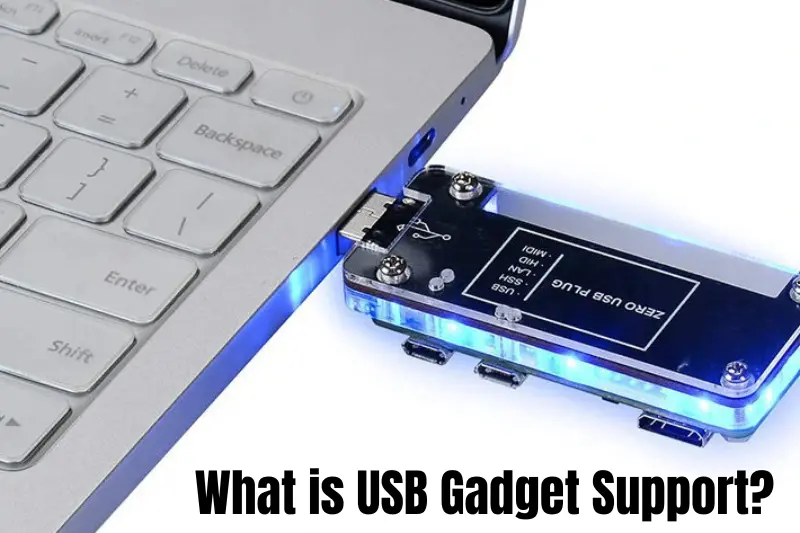
USB gadget support in Linux refers to the ability of a device—typically running a Linux-based OS like Debian 11—to behave as a USB peripheral rather than a host. In simple terms, instead of the device controlling other USB devices, it can itself be recognized by another computer as a USB device, such as a network adapter, mass storage device, or serial interface.
This functionality is made possible through Linux USB gadget drivers, which allow the Linux kernel to emulate different USB device classes. These drivers interact with the USB controller hardware to present the device to a host system in various modes, collectively known as USB gadget mode.
By enabling USB gadget support, developers can create flexible embedded solutions, enable device communication without additional hardware, and simplify debugging and testing processes.
Overview of USB Gadget Support in Debian 11
Debian 11 comes with extensive support for USB gadget functionality baked into its Linux kernel. The distribution includes a variety of USB gadget drivers and kernel modules that enable devices to act as USB peripherals.
Key kernel modules in Debian 11 that provide USB gadget support include:
- g_ether: Enables USB Ethernet gadget functionality, allowing the device to appear as a network adapter to a host computer.
- g_mass_storage: Allows the device to function as a USB mass storage device, such as a flash drive.
- g_serial: Provides a USB serial device interface, useful for serial communication over USB.
These modules can be loaded dynamically or compiled into the kernel, depending on your setup. Debian’s modular kernel architecture ensures flexibility for users to enable or disable gadget drivers based on their specific use cases.
The USB gadget framework in Debian 11 supports a wide range of device classes, making it an ideal choice for embedded developers, system integrators, and hobbyists who want to leverage USB gadget mode to its full potential.
How to Enable and Configure USB Gadget Support in Debian 11
Enabling Debian 11 USB gadget support is a straightforward process that involves loading the appropriate kernel modules and configuring them based on your desired USB gadget functionality. Follow these general steps to get started:
Step 1: Verify Kernel Module Support
First, ensure your Debian 11 kernel includes the necessary USB gadget modules. Common modules include g_ether (for USB Ethernet), g_mass_storage (for mass storage devices), and g_serial (for serial communication).
Step 2: Load the Required Module
To enable a specific gadget mode, load the corresponding kernel module. For example, loading the g_ether module enables USB Ethernet gadget support.
Step 3: Configure the Gadget (Optional)
For advanced setups, you might configure the gadget using the system’s configuration filesystem. This lets you customize settings such as vendor and product IDs, serial numbers, and gadget functions to suit your needs.
Step 4: Verify the Gadget is Active
After loading the module and configuring the gadget, connect your Debian device to a host computer via USB and check if it’s recognized as the intended USB device.
Following these steps will help you enable and tailor USB gadget mode on Debian 11, allowing your device to emulate various USB peripherals depending on your requirements.
Use Cases for Debian 11 USB Gadget Support
The Debian 11 USB gadget support opens up many possibilities for developers and tech enthusiasts. Here are some common use cases:
- USB Networking: Using the g_ether driver, Debian devices can act as USB network adapters, allowing network communication between the device and a host computer without needing additional hardware.
- Mass Storage Emulation: With the g_mass_storage module, your Debian device can emulate a USB flash drive or external hard drive, making it easy to transfer files or provide storage to a host system.
- Serial Communication: The g_serial driver lets your device appear as a USB serial port, which is useful for debugging, programming, or communicating with embedded systems.
- Embedded Systems and IoT: Many embedded devices use Debian 11’s USB gadget support to provide versatile USB interfaces for connecting to PCs or other devices, enabling tasks like firmware updates, diagnostics, or data exchange.
By leveraging USB gadget mode on Debian 11, developers can create multifunctional devices without needing additional USB hardware components, simplifying both prototyping and production.
Troubleshooting Common Issues with Debian 11 USB Gadget Support
While Debian 11 offers robust USB gadget support, users may encounter some common issues when setting up or using USB gadget mode. Here are a few tips to help resolve them:
- Module Not Loading: If the gadget driver module doesn’t load, ensure your kernel supports it and that you have the necessary permissions to load modules. Sometimes a kernel upgrade or missing dependencies can cause this problem.
- Device Not Recognized by Host: When the Debian device isn’t detected by the host computer, check USB cables and ports first. Also, verify that the correct gadget modules are loaded and configured properly.
- Incorrect Device Behavior: If the device doesn’t behave as expected (e.g., appears as the wrong USB device class), double-check your gadget configuration and module parameters.
- Permission Issues: Configuring USB gadgets sometimes requires root or elevated privileges. Make sure you have the right access to load modules and write to configuration files.
- Debugging Tools: Use system logs and diagnostic commands to gather information. Logs can help identify kernel or driver errors affecting gadget support.
By addressing these common problems, you can ensure smooth operation of Debian 11 USB gadget support and make your USB gadgets work reliably.
Conclusion
Debian 11 USB gadget support is a powerful feature that enables devices to act as versatile USB peripherals, unlocking a wide range of applications from networking to mass storage and serial communication. Thanks to the flexible Linux USB gadget drivers and kernel modules available in Debian 11, developers and tech enthusiasts can easily configure and customize USB gadget mode to suit their specific needs.
Whether you’re working on embedded systems, IoT projects, or simply want to extend the capabilities of your Debian device, understanding and leveraging USB gadget support can significantly enhance your hardware’s functionality.
Explore the possibilities, experiment with different gadget configurations, and take full advantage of the robust USB gadget framework Debian 11 offers.
